> ## Documentation Index
> Fetch the complete documentation index at: https://docs.nimbleway.com/llms.txt
> Use this file to discover all available pages before exploring further.
# Genie Code
> Build Databricks data products from live web search in Genie Code. Install the Nimble custom Agent Skill and describe the goal in plain English — discover the right Web Search Agents, ingest into Delta, and build a dashboard or app, end to end.
[Genie Code](https://docs.databricks.com/aws/en/genie-code/) — Databricks' agentic coding agent — writes notebooks, explores Unity Catalog, builds dashboards, and deploys apps from plain-English instructions. It extends with [custom Agent Skills](https://docs.databricks.com/aws/en/genie-code/skills), and Nimble ships one: install it, describe a goal, and Genie Code turns it into a working data product — discover the right Web Search Agents, ingest live web data into a Delta table, and build an AI/BI dashboard or a deployed app. End to end, without leaving Databricks.
Where [Genie One](/integrations/partnerships/databricks/genie) *answers* live-web questions, Genie Code *builds* — it stands up the table, the dashboard, and the app for you.
 ## What you get
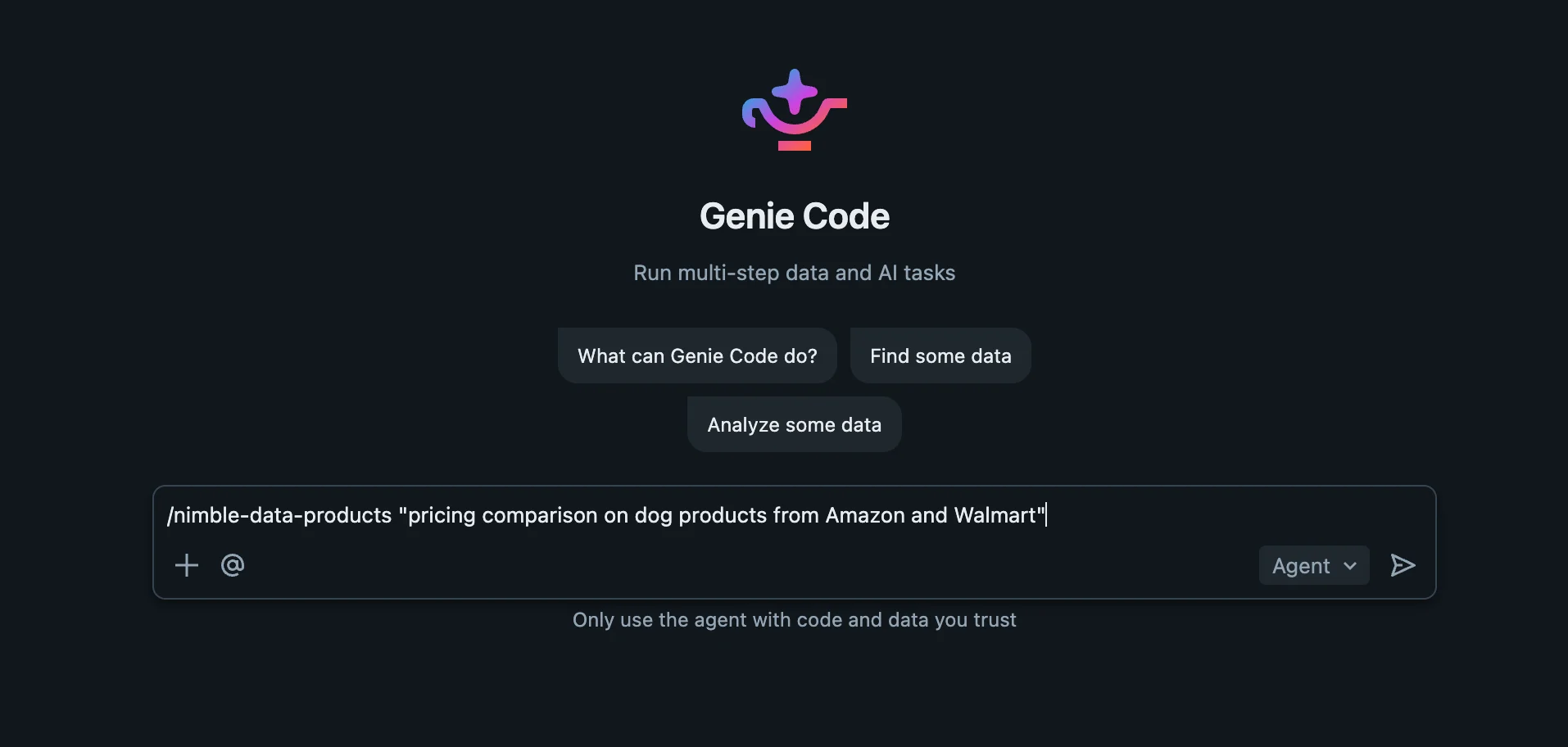
* **A brief becomes a data product.** "Pricing comparison on dog products from Amazon and Walmart" → a governed Delta table, an AI/BI dashboard, and optionally a deployed app.
* **Native execution, nothing extra to install.** The skill runs as inline SQL over the Nimble [Unity Catalog table functions](/integrations/partnerships/databricks/data-enrichment), and hands dashboards and apps to Genie Code's own dashboard agent and AppsAgent. No external tooling.
* **Discovery, not guesswork.** It reads the live agent catalog at runtime (`nimble_agent_list`, `nimble_agent_describe`) and probes one call per source before fanning out — so it uses each agent's real parameters and fields.
* **Set-based ingestion.** A control table plus one correlated `LATERAL nimble_agent_run` INSERT loads every source in parallel and lands a unified, normalized Delta table — reproducible and expandable.
* **The "never leave Databricks" story, end to end.** From a sentence to a published dashboard, all inside Genie Code.
## Prerequisites
* The **Nimble × Databricks integration** installed — the `nimble_integration.tools.*` table functions. See [Data Enrichment](/integrations/partnerships/databricks/data-enrichment) for setup. The skill's first step verifies they exist and stops with guidance if not.
* **Genie Code in [Agent mode](https://docs.databricks.com/aws/en/genie-code/use-genie-code)** — custom skills load only in Agent mode.
## Install the skill
Genie Code loads skills from a `.assistant/skills/` directory. Copy the Nimble skill folder there — keep the folder name `nimble-search`.
* **User skill** (just you; the prototype path): `/Users/{username}/.assistant/skills/`
* **Workspace skill** (org-wide; admins): `Workspace/.assistant/skills/`
## What you get
* **A brief becomes a data product.** "Pricing comparison on dog products from Amazon and Walmart" → a governed Delta table, an AI/BI dashboard, and optionally a deployed app.
* **Native execution, nothing extra to install.** The skill runs as inline SQL over the Nimble [Unity Catalog table functions](/integrations/partnerships/databricks/data-enrichment), and hands dashboards and apps to Genie Code's own dashboard agent and AppsAgent. No external tooling.
* **Discovery, not guesswork.** It reads the live agent catalog at runtime (`nimble_agent_list`, `nimble_agent_describe`) and probes one call per source before fanning out — so it uses each agent's real parameters and fields.
* **Set-based ingestion.** A control table plus one correlated `LATERAL nimble_agent_run` INSERT loads every source in parallel and lands a unified, normalized Delta table — reproducible and expandable.
* **The "never leave Databricks" story, end to end.** From a sentence to a published dashboard, all inside Genie Code.
## Prerequisites
* The **Nimble × Databricks integration** installed — the `nimble_integration.tools.*` table functions. See [Data Enrichment](/integrations/partnerships/databricks/data-enrichment) for setup. The skill's first step verifies they exist and stops with guidance if not.
* **Genie Code in [Agent mode](https://docs.databricks.com/aws/en/genie-code/use-genie-code)** — custom skills load only in Agent mode.
## Install the skill
Genie Code loads skills from a `.assistant/skills/` directory. Copy the Nimble skill folder there — keep the folder name `nimble-search`.
* **User skill** (just you; the prototype path): `/Users/{username}/.assistant/skills/`
* **Workspace skill** (org-wide; admins): `Workspace/.assistant/skills/`
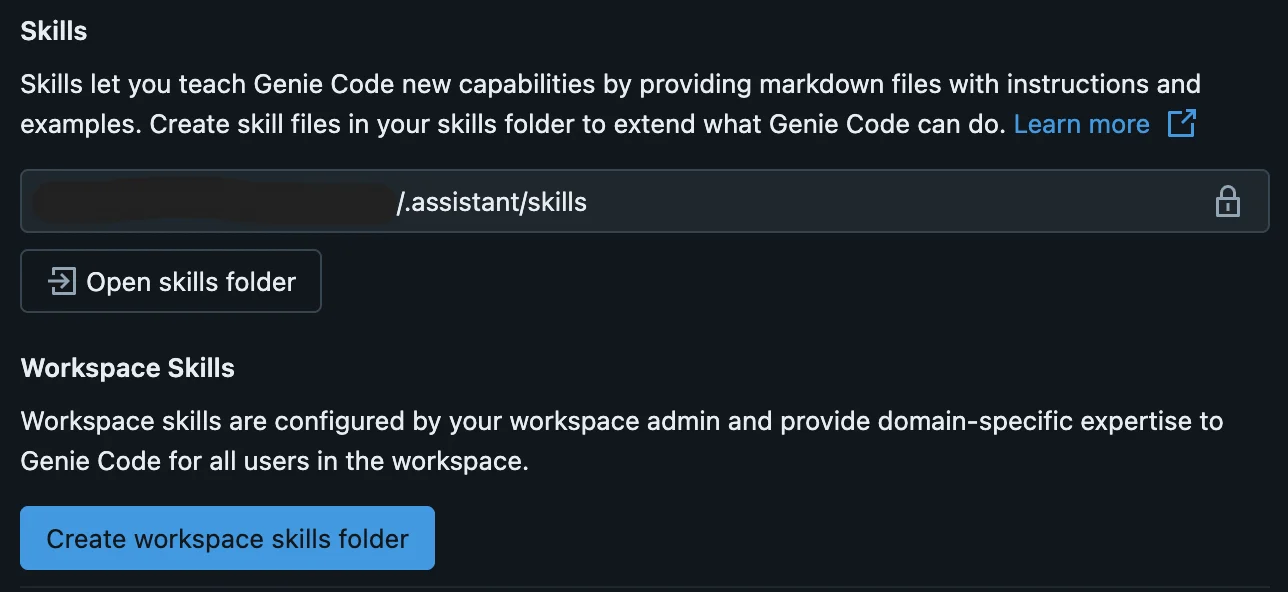 The quickest path: open the skills folder from the Genie Code panel (**⚙ Settings → Open skills folder**) and copy the folder in, then start a **new** Agent-mode chat. To keep it updated, back the skills folder with a [Databricks Git folder](https://docs.databricks.com/aws/en/repos/) pointed at the cookbook.
The `nimble-search` skill (SKILL.md + references) and full install instructions
## Ask in plain English
In a Genie Code Agent-mode chat, describe the goal — the skill auto-loads by its description (or `@`-mention it):
* `pricing comparison on dog products from Amazon and Walmart`
* `extract Zillow listings for Austin into a Delta table and build a dashboard`
* `show competitor prices from the web in a dashboard`
Genie Code confirms the deliverable (table / dashboard / app), the sources, and the target schema, then runs the flow and hands back the links and the headline insight.
## How it works
1. **Discover** — `nimble_agent_list()` finds the agents matching your sources; `nimble_agent_describe()` reads each one's exact input parameters.
2. **Probe** — one `nimble_agent_run` call per source confirms the real output fields and localization before fanning out.
3. **Ingest** — a control table drives a single correlated `LATERAL nimble_agent_run` INSERT that loads every source in parallel into one unified, normalized Delta table.
4. **Build** — Genie Code's native dashboard agent assembles an AI/BI dashboard from the table; its AppsAgent can deploy an app (Python frameworks by default — Streamlit / Dash / Gradio — with React supported build-less).
5. **Deliver** — the published dashboard and running app links.
## Resources
The Nimble Genie Code skill and install guide
Databricks' guide to creating and installing custom Genie Code skills
The `nimble_integration.tools.*` table functions this skill builds on
The same workflow as a published skill for other AI coding assistants
The quickest path: open the skills folder from the Genie Code panel (**⚙ Settings → Open skills folder**) and copy the folder in, then start a **new** Agent-mode chat. To keep it updated, back the skills folder with a [Databricks Git folder](https://docs.databricks.com/aws/en/repos/) pointed at the cookbook.
The `nimble-search` skill (SKILL.md + references) and full install instructions
## Ask in plain English
In a Genie Code Agent-mode chat, describe the goal — the skill auto-loads by its description (or `@`-mention it):
* `pricing comparison on dog products from Amazon and Walmart`
* `extract Zillow listings for Austin into a Delta table and build a dashboard`
* `show competitor prices from the web in a dashboard`
Genie Code confirms the deliverable (table / dashboard / app), the sources, and the target schema, then runs the flow and hands back the links and the headline insight.
## How it works
1. **Discover** — `nimble_agent_list()` finds the agents matching your sources; `nimble_agent_describe()` reads each one's exact input parameters.
2. **Probe** — one `nimble_agent_run` call per source confirms the real output fields and localization before fanning out.
3. **Ingest** — a control table drives a single correlated `LATERAL nimble_agent_run` INSERT that loads every source in parallel into one unified, normalized Delta table.
4. **Build** — Genie Code's native dashboard agent assembles an AI/BI dashboard from the table; its AppsAgent can deploy an app (Python frameworks by default — Streamlit / Dash / Gradio — with React supported build-less).
5. **Deliver** — the published dashboard and running app links.
## Resources
The Nimble Genie Code skill and install guide
Databricks' guide to creating and installing custom Genie Code skills
The `nimble_integration.tools.*` table functions this skill builds on
The same workflow as a published skill for other AI coding assistants