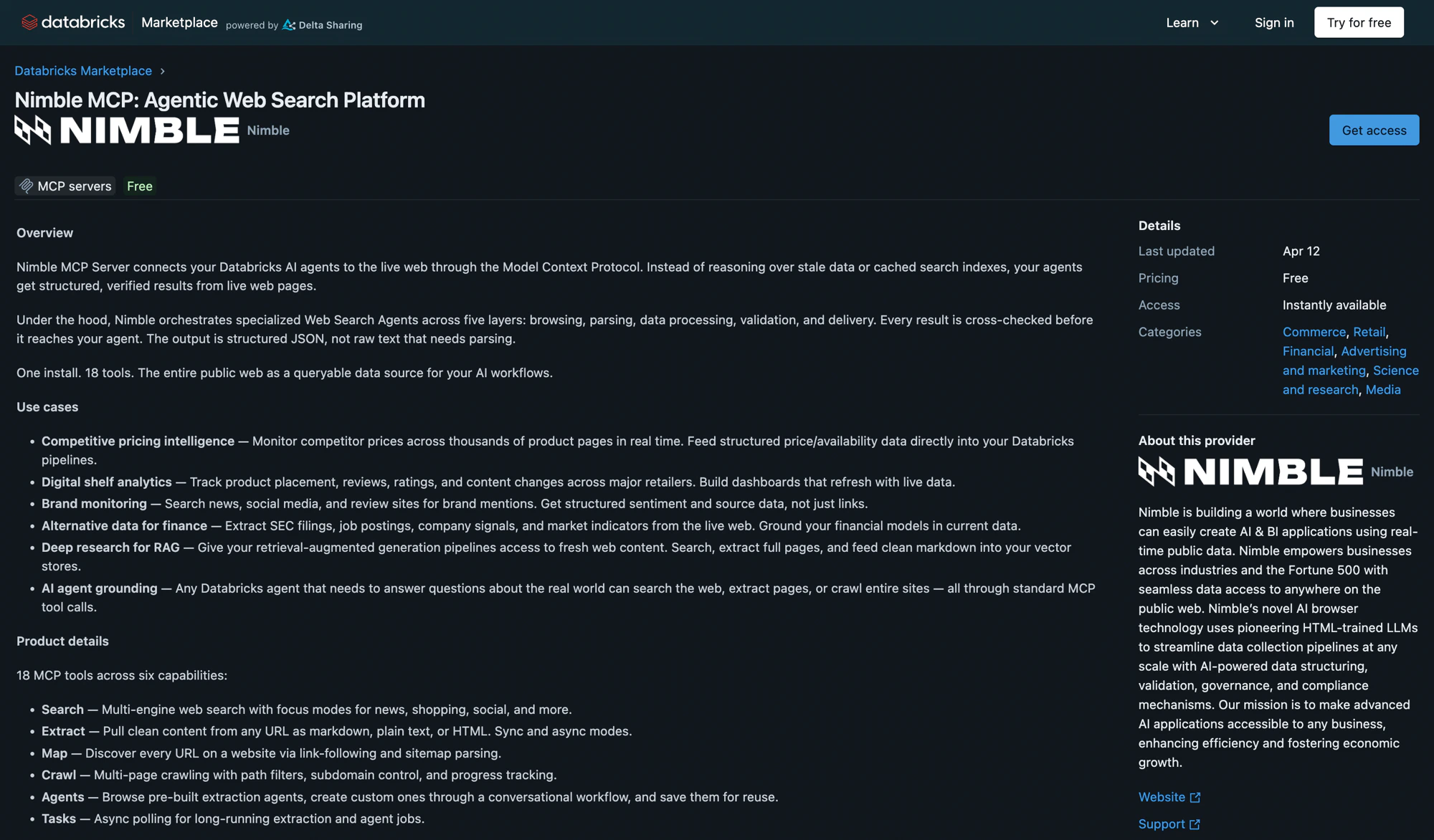
Nimble MCP Server is available on the Databricks Marketplace as a one-click install. It creates a secure Unity Catalog connection that gives any Databricks agent access to Nimble’s full web data platform — search, extract, map, crawl, and structured data extraction.
Nimble MCP: Agentic Web Search Platform listing on the Databricks Marketplace

Prerequisites

Install from Databricks Marketplace

1

Find Nimble MCP Server

In your Databricks workspace, go to Marketplace and search for Nimble.
2

Install and configure the connection

Click Install. In the installation dialog, configure:
FieldValue
Connection nameA name for the Unity Catalog connection (default: nimble-mcp-marketplace)
HostPre-populated
Base pathPre-populated
Bearer tokenYour Nimble API key
Install dialog for Nimble MCP Server showing connection name, host, base path, and bearer token fields
3

Verify the installation

Go to Agents > MCP Servers tab and confirm nimble-mcp-marketplace appears with status Active.

Share the Connection

Grant access so team members can use the Nimble MCP server:
  1. Go to Catalog > Connections and click the Nimble connection.
  2. Open the Permissions tab and grant USE CONNECTION to the principals that need access.

Test in Databricks

AI Playground

1

Open AI Playground

Choose a model with the Tools enabled label.
2

Add Nimble MCP tools

Click Tools > + Add tool > MCP Servers > External MCP servers and select the nimble-mcp-marketplace connection.
3

Chat

Ask the model to search the web, extract a page, or map a site to verify the tools work.

Databricks Assistant

  1. Open Databricks Assistant and click the Settings icon.
  2. Under MCP Servers, click + Add MCP Server > External MCP servers and select the nimble-mcp-marketplace connection.

Use in Agent Code

Verify the connection

Use DatabricksMCPClient to list available tools through the Databricks-managed proxy.
import nest_asyncio
nest_asyncio.apply()  # Required in Databricks notebooks

from databricks.sdk import WorkspaceClient
from databricks_mcp import DatabricksMCPClient

w = WorkspaceClient()
host = w.config.host

NIMBLE_MCP_PROXY_URL = f"{host}/api/2.0/mcp/external/nimble-mcp-marketplace"

mcp_client = DatabricksMCPClient(
    server_url=NIMBLE_MCP_PROXY_URL,
    workspace_client=w
)
tools = mcp_client.list_tools()

print(f"Loaded {len(tools)} Nimble tools:")
for tool in tools:
    print(f"  - {tool.name}")
DatabricksMCPClient.list_tools() calls asyncio.run() internally. Databricks notebooks already have a running event loop, so nest_asyncio.apply() is required to avoid a RuntimeError.

Build a LangGraph agent

Connect a Databricks-hosted LLM to Nimble tools using MultiServerMCPClient and LangGraph.
import os
from langchain_core.utils.function_calling import convert_to_openai_tool
from langchain_mcp_adapters.client import MultiServerMCPClient
from langgraph.prebuilt import create_react_agent
from databricks_langchain import ChatDatabricks

# Generate a short-lived Databricks token
os.environ["DATABRICKS_HOST"] = w.config.host
os.environ["DATABRICKS_TOKEN"] = w.tokens.create(
    comment="nimble-mcp-demo", lifetime_seconds=1200
).token_value

llm = ChatDatabricks(endpoint="databricks-meta-llama-3-3-70b-instruct")

# Connect to Nimble MCP via the Databricks proxy
client = MultiServerMCPClient({
    "nimble": {
        "url": NIMBLE_MCP_PROXY_URL,
        "transport": "streamable_http",
        "headers": {
            "Authorization": f"Bearer {os.environ['DATABRICKS_TOKEN']}"
        }
    }
})

langchain_tools = await client.get_tools()
Databricks model serving rejects tool schemas that contain additionalProperties. The ChatDatabricks.bind_tools() method adds this field via Pydantic serialization. Strip it before creating the agent:
def _strip_additional_properties(obj):
    if isinstance(obj, dict):
        obj.pop("additionalProperties", None)
        for value in obj.values():
            _strip_additional_properties(value)
    elif isinstance(obj, list):
        for item in obj:
            _strip_additional_properties(item)

clean_tool_defs = [convert_to_openai_tool(t) for t in langchain_tools]
for td in clean_tool_defs:
    _strip_additional_properties(td)

object.__setattr__(
    llm, 'bind_tools',
    lambda tools, **kw: llm.bind(tools=clean_tool_defs)
)
Create the agent and run a query:
agent = create_react_agent(llm, langchain_tools)

response = await agent.ainvoke({
    "messages": [{"role": "user", "content": (
        "Search for the latest news about AI agents in enterprise workflows. "
        "Summarize the top 5 results with their sources."
    )}]
})

print(response["messages"][-1].content)

Call tools directly

Skip the agent framework and call Nimble tools directly through the MCP client.
response = mcp_client.call_tool(
    "nimble_search",
    {"query": "latest AI research breakthroughs"}
)
print(response.content[0].text)

Required packages

pip install databricks-mcp langchain-mcp-adapters mcp databricks-langchain langgraph langchain nest_asyncio

Sample Notebook

A complete walkthrough with four use cases (web search, page extraction, competitive pricing research, and site mapping) is available in the Nimble cookbook:

Nimble MCP + Databricks Notebook

End-to-end notebook: install packages, verify connection, build a LangGraph agent, and run queries

Resources

Databricks Marketplace Listing

Install Nimble MCP Server directly from the Marketplace

Nimble MCP Server Docs

Full MCP Server setup for Claude, Cursor, and other clients

Databricks External MCP Docs

Databricks documentation for external MCP server connections

Nimble Studio

Create Web Search Agents visually — no coding required