

Try it in the Playground
Run a research task in the browser. No code, no setup
Quickstart
Zero to a cited answer in three API calls
Have a URL already, or a single fact to look up? Extract or Search will be faster and cheaper. See Choosing the Right Tool.
Input and output
One request in:[n] marker resolves to a machine-readable claim with source URLs, verbatim excerpts, and a confidence grade. See Trust.
Run it yourself, in the Playground or from code:
What you can build
Every agent works in one of three modes, set by itsuse_case:
Research
Answer hard questions. Competitive intelligence, due diligence, market and sentiment analysis: cited briefs on demand.
Enrichment
Complete your data. Send CRM rows or product records with gaps, get them back filled, every added value cited.
Dataset Building
Discover from scratch. One prompt in, a structured dataset out, every cell with its own evidence.
Build the agent your workflow needs: a Company Research Agent that maintains living company profiles, a Consumer Sentiment Agent that reads reviews and forums, a Lead Enrichment Agent that completes your pipeline, or start from a pre-built template.
Start from a template
Templates ship with goals, source guidance, a skill briefing, and output schemas already tuned. Create your own copy with one call and customize from there:
List them with
GET /v2/agents/templates. Each returns its full configuration, suggested prompts, and an example result.
Why it’s different
Generic web search has no idea what your agent is trying to accomplish. A Nimble Agent does, because it’s stateful, self-improving, and configurable to perfection:- An expert, not a generic index. The agent learns your use case through its
skill,goals, andsources: what dimensions matter, what jargon means, which sources to trust, and what a good result looks like. - Self-improving. Memory captures what worked (sources, retrieval paths, domain patterns) and feeds every future run. Storage keeps collected data and outputs so runs build on each other instead of starting from zero. Recurring tasks get faster, more accurate, and up to 50% cheaper.
- Trustworthy. Every run returns a trust report: per-claim citations with verbatim excerpts, graded confidence, and the full list of sources consulted, auditable end to end.
- Full web access. Agents run on Nimble’s web tools: Search, Extract with JS rendering and stealth mode, Extract Templates, and Crawl, reaching data that generic tools can’t.
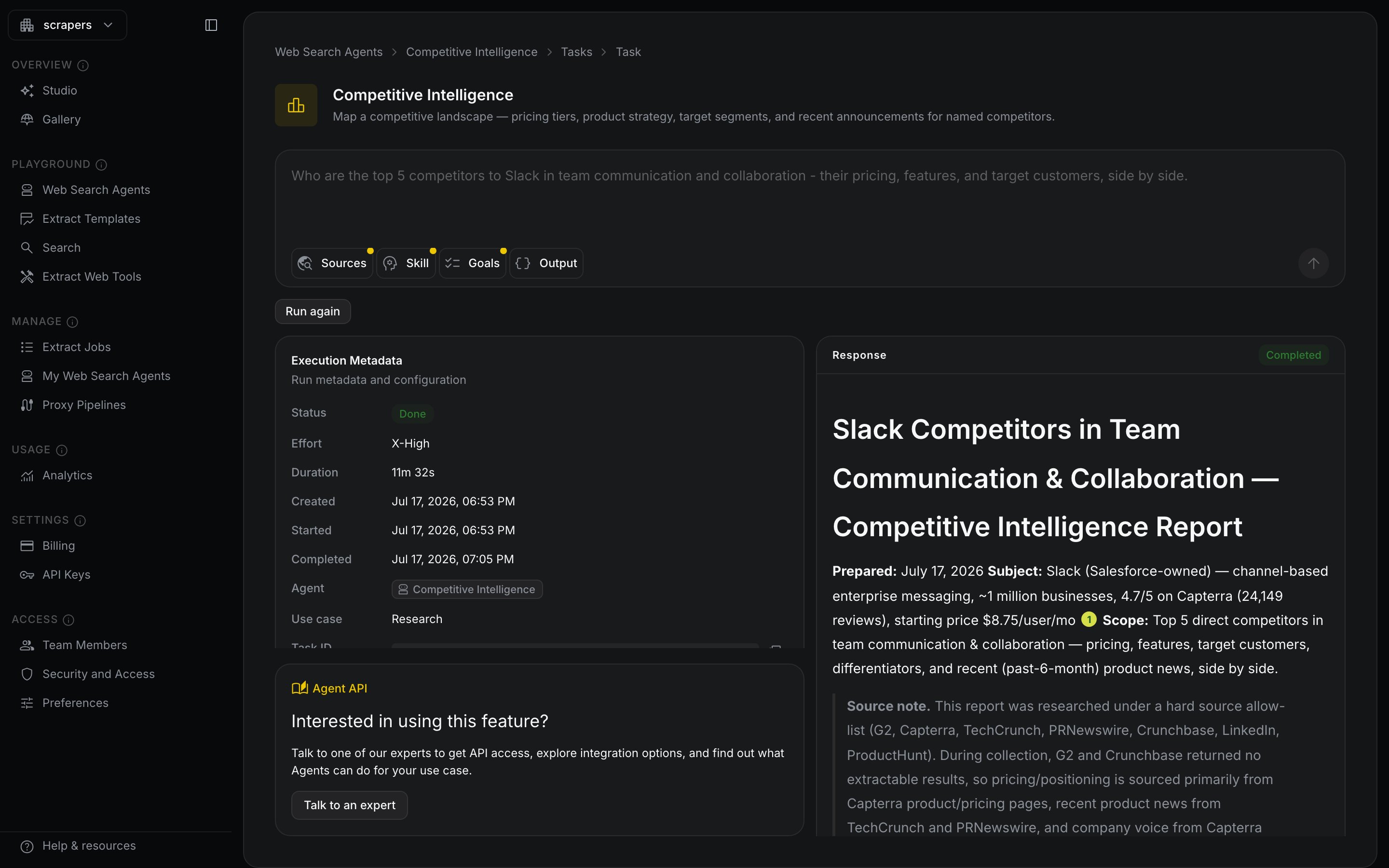
A completed research run: the answer, its execution metadata, and a confidence-graded citation on every claim.
How it works
1
You send a task
Plain language, like briefing an analyst. Optionally add a JSON Schema to get structured data back.
2
The agent plans
It breaks the task into checkable goals and search steps, informed by its skill and everything in memory.
3
It searches and extracts
The agent works across dozens to hundreds of pages, cross-checking conflicting sources and ranking them by authority.
4
You get the deliverable
A prose answer or JSON matching your schema, plus the trust report grading the evidence behind every claim.
Configure it to perfection
agents.run works with zero configuration. For repeat work, create a persistent agent and tune every dimension:
Runs at any scale
Stream a single run’s progress as server-sent events, chain follow-up runs withprevious_interaction_id, or hand the agent to Jobs to run on a schedule across thousands of inputs with managed delivery.
Zero Data Retention
Agents support Zero Data Retention (ZDR) on enterprise plans. With ZDR enabled, your prompts, input data, and outputs are retained only within the window defined in your contract, and are never used for training or shared with any other customer. Retention is set per data type, including whether the agent keeps memory and storage across runs. Contact Nimble to enable ZDR for your account.Next steps
Playground
Run your first task in the browser
Quickstart
The full create → wait → result loop in code
Use Cases
Research, Enrichment, and Dataset Building in depth
API Reference
Every endpoint, field, and response
Best Practices
Write tasks and schemas that fill every cell
For Coding Agents
One-page reference for Claude Code, Cursor and Codex